Active Directory security assessment tool, with Microsoft 365
GlacierPoint Scan reads your Active Directory, your Windows hosts and your Microsoft 365 tenant in one collection and checks them against 240 controls. You get one report on both halves of a hybrid environment, written for the people who fix things and for the people who approve the budget.
Who it is for
It is for IT teams, security leads and managed service providers who need to know where a domain and its tenant stand, and who have to explain that to leadership. It fits a first assessment of a new client, a yearly review, or a check before and after a round of fixes.
If you already run a free Active Directory tool, keep running it. Scan adds the Microsoft 365 side, a brief written for readers outside IT, and a rescan that shows what your changes did.
How a run goes
- Sign in to the Scan portal and download the collector, a single portable Windows program. Nothing is installed on your servers.
- Run it with your own account on a domain-joined computer and approve its eight-character pairing code in your browser.
- The collector reads the directory, SYSVOL, the local host, up to 100 remote hosts you choose and your Microsoft 365 tenant, then encrypts the evidence on that computer before it is uploaded.
- Open the results in the portal and download the reports.
What you get
- A five-page executive brief: the priorities in plain language, why each one matters, the decision it asks for, and a 30/60/90 plan.
- A technical report with the evidence behind every verdict, matrices that show one control across every host, and inventories per host and for the tenant.
- 240 controls, 138 on premises and 102 in Microsoft 365, across the directory, hosts, certificate services, the network, Microsoft Entra ID, Exchange Online, SharePoint, Teams and Defender.
- A verification rescan after your changes, judged by the same rules.
- Optional remediation plans: unlinked GPOs and staged Microsoft 365 policies that you review and switch on yourself.
What it does not do
- It changes nothing while it assesses. There are no agents to deploy and no domain passwords to hand over.
- It is a point-in-time review, not continuous monitoring and not a penetration test. To learn what an attacker could actually reach, see GlacierPoint Probe.
- It does not decide everything for you. Of the 240 controls, 40 are left to your reviewer's judgment, with the evidence needed to decide them, and nobody at GlacierPoint reads your findings.
- Evidence it could not read is reported as missing, never counted as a pass.
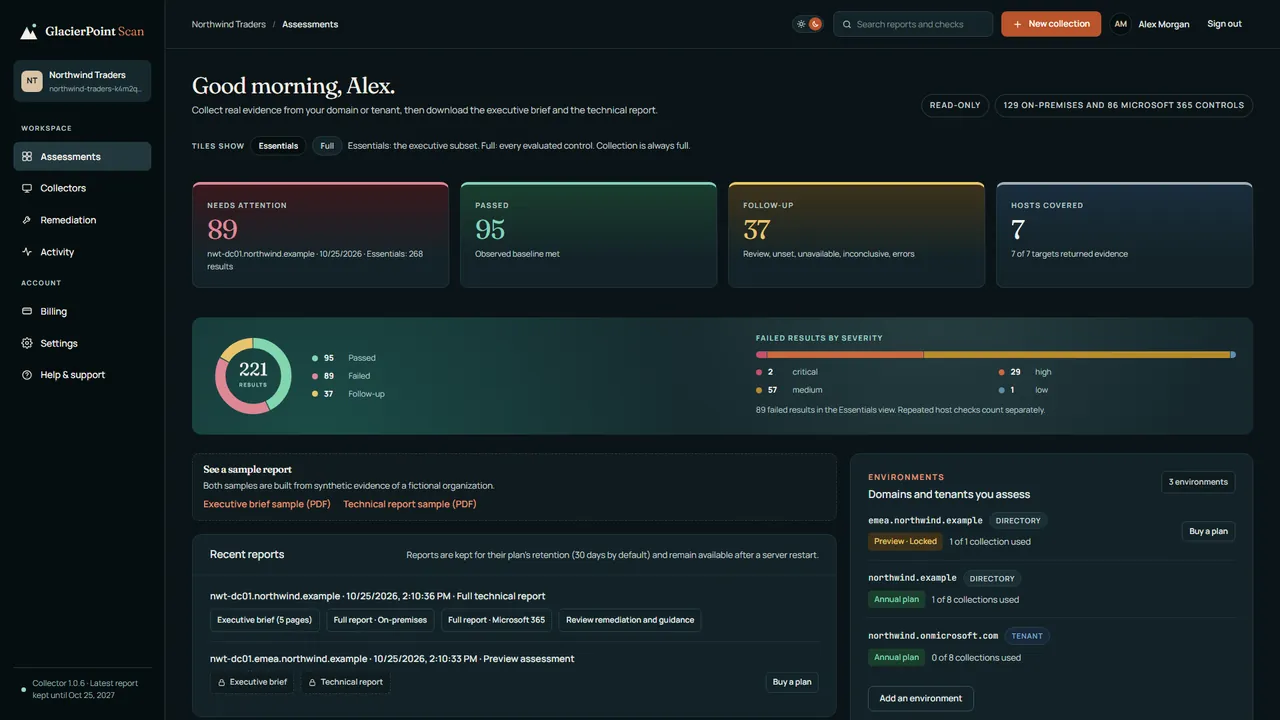
The free preview needs no card: one full collection of your own environment, with the headline counts and where to focus first. The brief and the technical report unlock with a plan.
Newest articles
-
Check the krbtgt password age and reset it safely
Check the krbtgt password age with read-only PowerShell, then reset the krbtgt password twice, with replication and ticket lifetimes in mind.
-
Scan vs PingCastle: which one fits you?
Weighing a PingCastle alternative: how GlacierPoint Scan and PingCastle compare on scope, how they run, output and cost, and when each fits.
-
Scan vs Purple Knight: which one fits you?
Weighing a Purple Knight alternative: how GlacierPoint Scan and Purple Knight compare on scope, how they run, output and cost, and when each fits.
Articles from every GlacierPoint product, newest first, are on the articles page.